
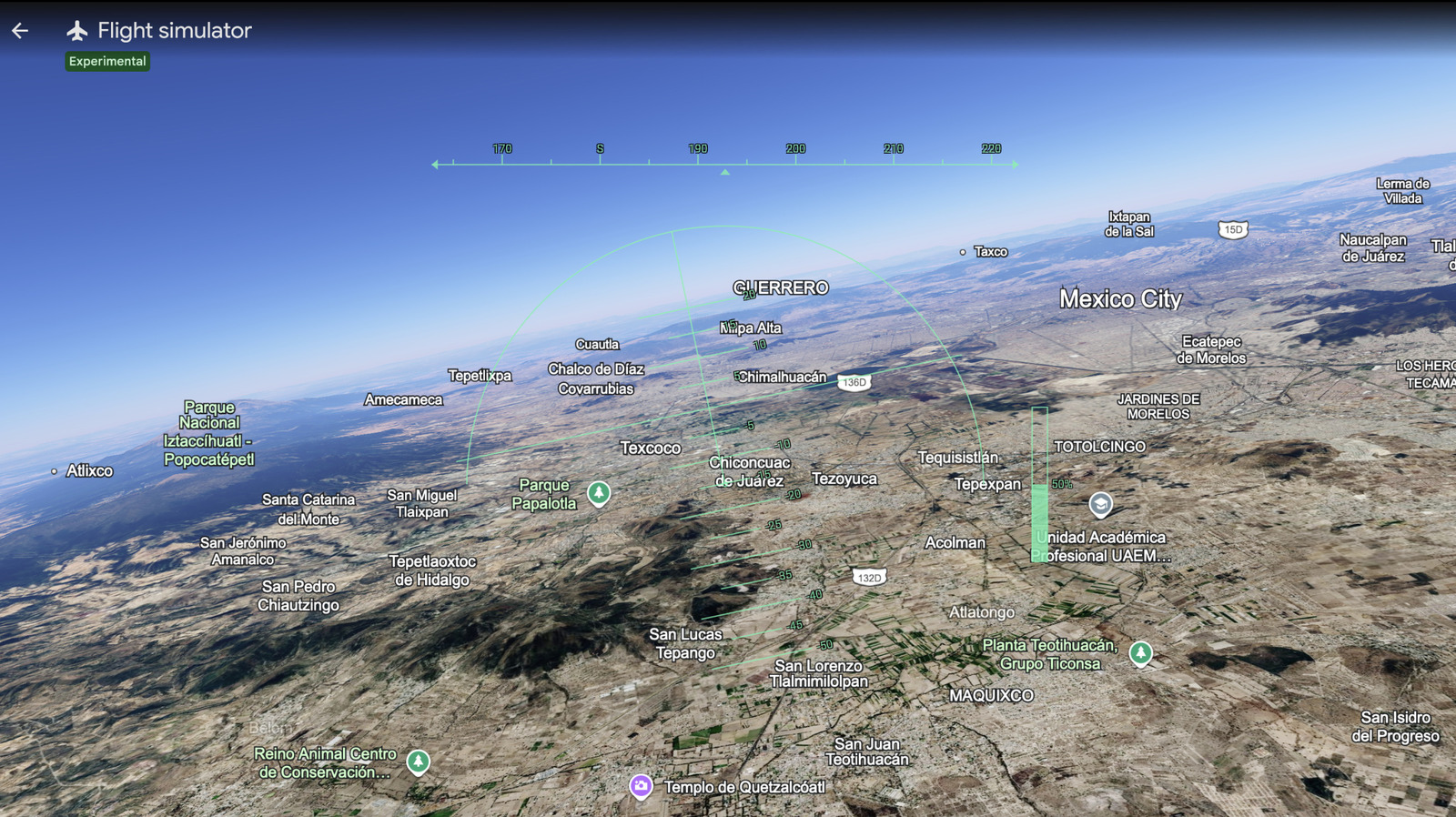
Google Earth's Flight Simulator Mode Now Available in Browser, Extending Pro Features to Web
According to Engadget, Google Earth’s flight simulator mode, previously a desktop-only feature, is now accessible globally via web browser to all users. The announcement was made on June 12, 2026, through a social media post by Google Earth, as reported by Engadget's Anna Washenko. The post included a link to the feature and the message: "Prepare for takeoff. ✈️ Flight simulator is now available globally on web to all users."
Broader Context: Professional Desktop Features Coming to Web
Engadget noted that this release is part of broader effort to bring powerful professional desktop features to the web version of Google Earth. The company stated on social media: "We've recently added many our most powerful professional desktop features to web. Elevation profiles, new import types, but there's always been one other feature..." The flight simulator was that remaining desktop-only feature. This indicates a continued push to make advanced geospatial tools available without requiring a desktop installation, which could have significant implications for enterprise GIS users who rely on Google Earth for mapping, elevation analysis, and now exploratory flight simulation.
How to Access and What to Expect
To use the feature, open Google Earth, navigate to Explore Earth, then select the Tools menu where the Flight Simulator mode can be found. Engadget reported that there is an FAQ for new users to help them get acclimated. However, users should be aware of two caveats. First, this is an experimental feature, so "you might have some wonky moments with the flight simulator," according to Engadget. Second, Google Earth emphasized that the simulator is not intended for real pilot training. Engadget quoted the company's statement: "The flight simulator is designed for casual exploration rather than high-fidelity aerodynamic training."
Previous Fun Features: Historical Recreations
Engadget also highlighted that Google Earth in 2024 added an option for seeing historical recreations of select times and places. The article described this as "the sort of clever curio we love," and noted that Google continued to deliver more such features the following year. This track record shows Google Earth's commitment to making technology "cool and downright fun," as Engadget put it, while also progressively adding professional-grade capabilities.
Implications for Enterprise Technology Leaders
For CTOs, digital transformation leaders, and supply chain technology managers, the migration of previously desktop-only professional features — such as elevation profiles and new import types — to the browser signals a strategic shift. The flight simulator, while primarily a casual exploration tool, demonstrates that Google is systematically lowering the barrier to advanced geospatial functionality. Global accessibility means any stakeholder with a browser can use these tools without specialized hardware or software installation. This can facilitate broader organizational adoption for tasks like site inspection planning, logistics route previews, or environmental assessments. The experimental nature of the flight simulator also suggests that Google is iterating on web-based capabilities, possibly paving the way for more enterprise-focused features in the future. As Engadget reported, the recent additions of elevation profiles and new import types are directly relevant to professional geospatial work, and the flight simulator is the latest indication